
When we look at the import section of the PE Bear output, based on IAT information, we can see that several different Window DLLs are loading; kernel32.dll, user32.dll, gdi32.dll, advapi32.dll, shell32.dll, and shlwapi.dll. We can also take a look at our malicious file on IDA Pro before…
I was thinking to publish an article about Project Injection techniques but it took a little longer than I expected. My article will be about Emotet malware. Before starting unpacking, it will be better to get some information about malware.
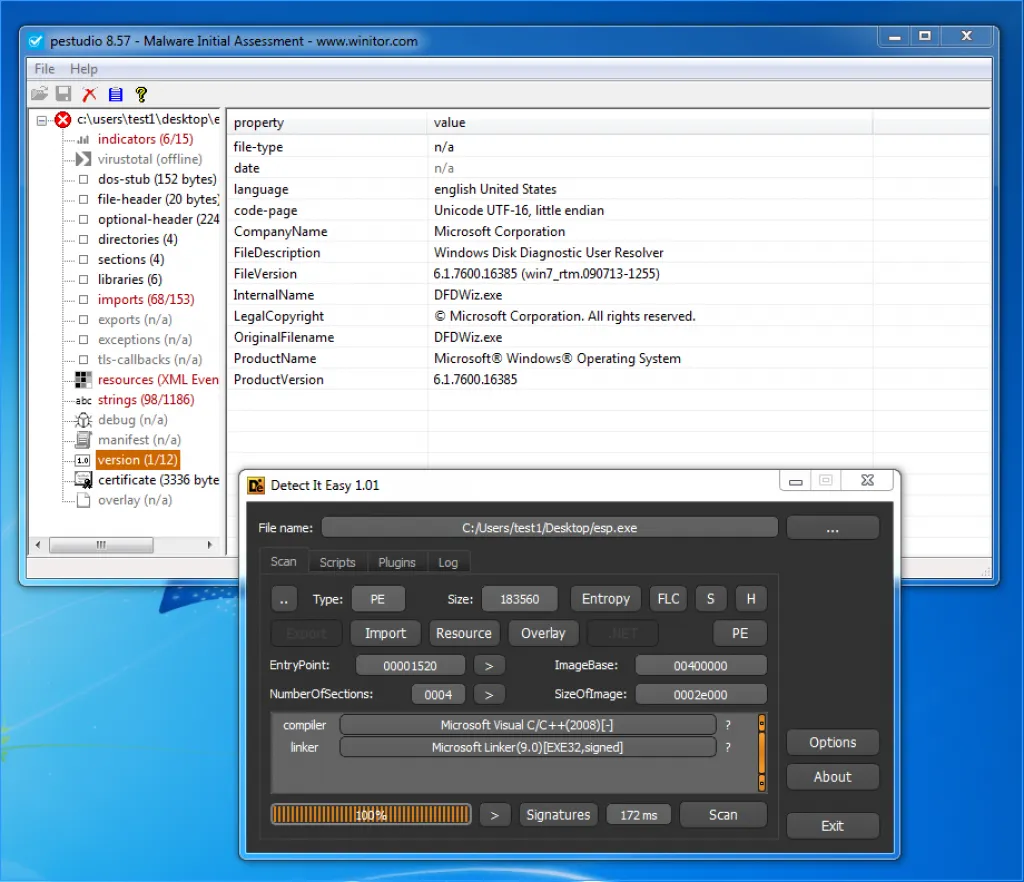
As the above PEstudio output shows, the malware is introducing itself to users as a Windows Disk Diagnostic User Resolver. When we look at the other outputs, performs a fraudulent certificate — the name is OCOEZIHQ- an installation that was created on 12/03/2019. It is also designed to work on x86 architecture-built processors..
As the above Detect It Easy output shows, we can see that it is written in C/C++ language but does not detect any packer.
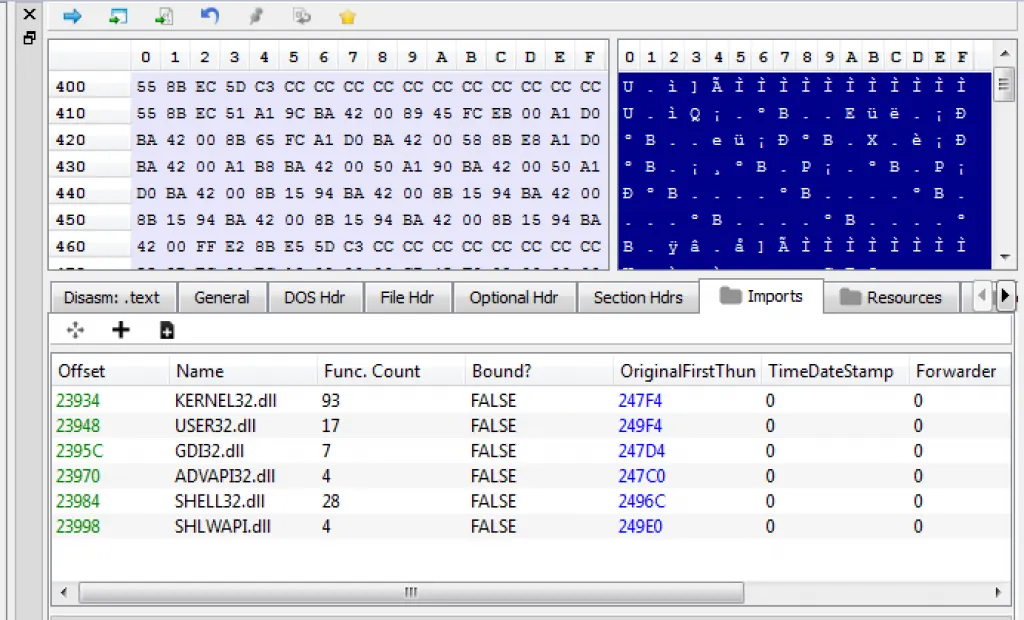
When we look at the import section of the PE Bear output, based on IAT information, we can see that several different Window DLLs are loading; kernel32.dll, user32.dll, gdi32.dll, advapi32.dll, shell32.dll, and shlwapi.dll.
We can also take a look at our malicious file on IDA Pro before proceeding with unpacking. Especially in the process of the unpacking process to make our easier in advance.
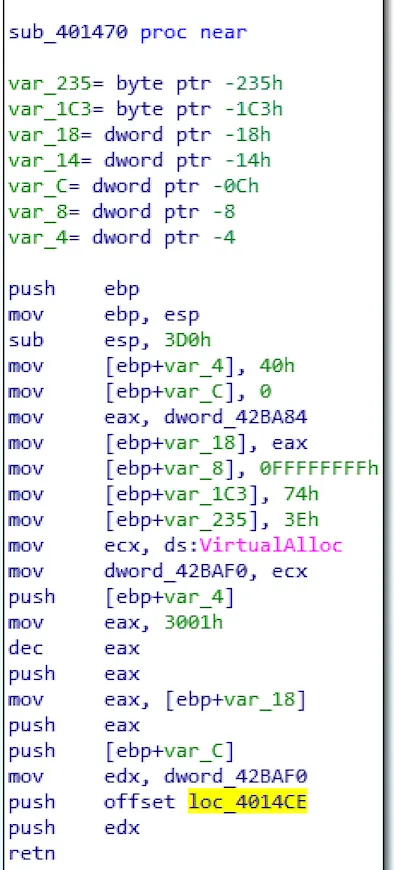
We notice that a small portion of the imported functions may appear in the previous PEBear output. One of them is VirtualAlloc, which points to a possible custom packer.
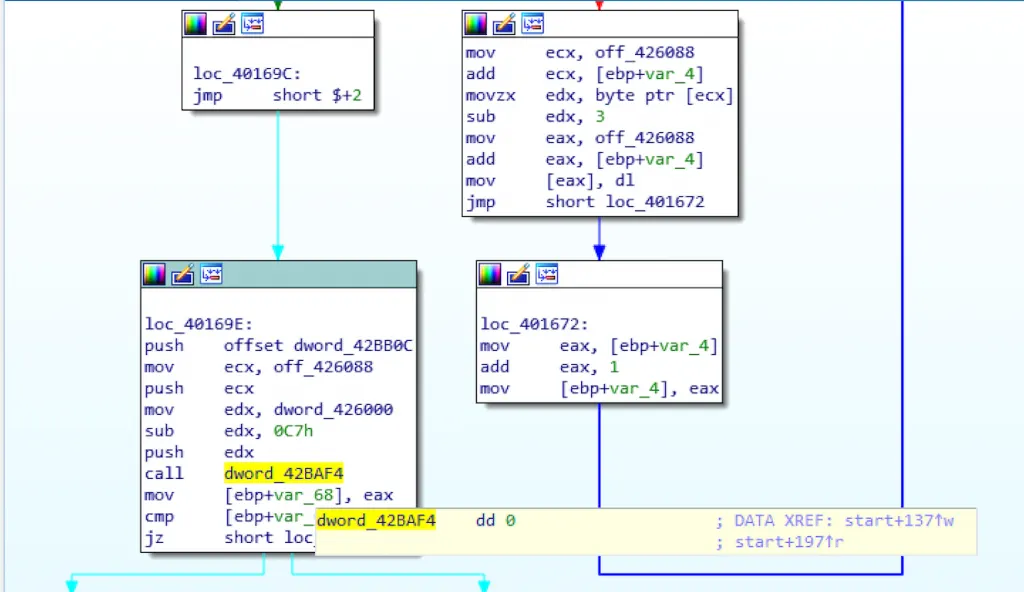
Another conspicuous detail, we notice that there are calls to data segments.
Behavioral Analysis
Before the dynamic analysis, let’s first look at the behavioral analysis of malware. When we run the file for the first time, the malware runs itself first.
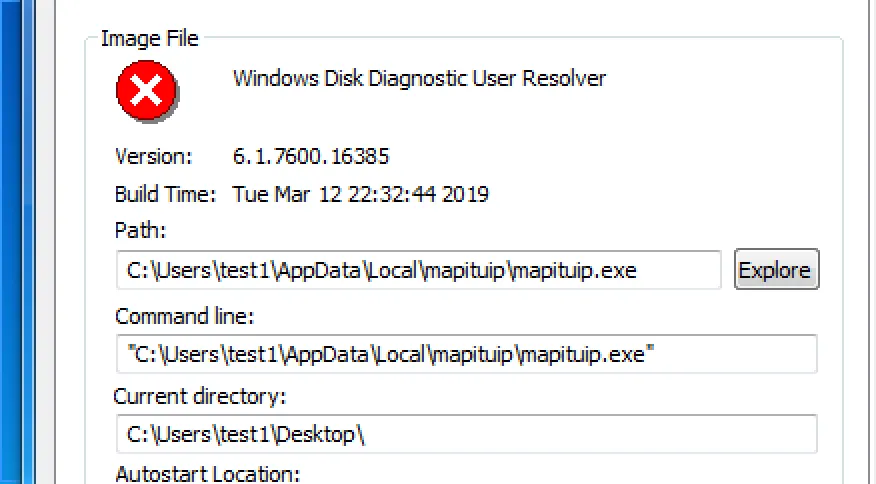
It then creates a second exe file named mapituip.exe under AppData\\Local\\mapituip. We then notice that the first file terminates the function and the second copied file continues to run.
Dynamic analysis — Unpacking
We are going to open the malicious file with x64Dbg and start the unpacking process. When throwing the malware into Debugger, we are going to create Breakpoint on Create Process Internal. Because when we do behavioral analysis, we found that the file we run creates a subprocess. So we expect that that’s probably the whole state for the PE file.
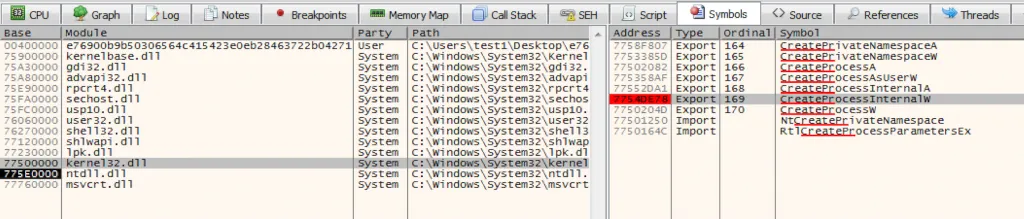
So it is going to be unpacked in memory, we will pop over to symbols kernel32.dll and look for Create Process Internal W then put a breakpoint here.
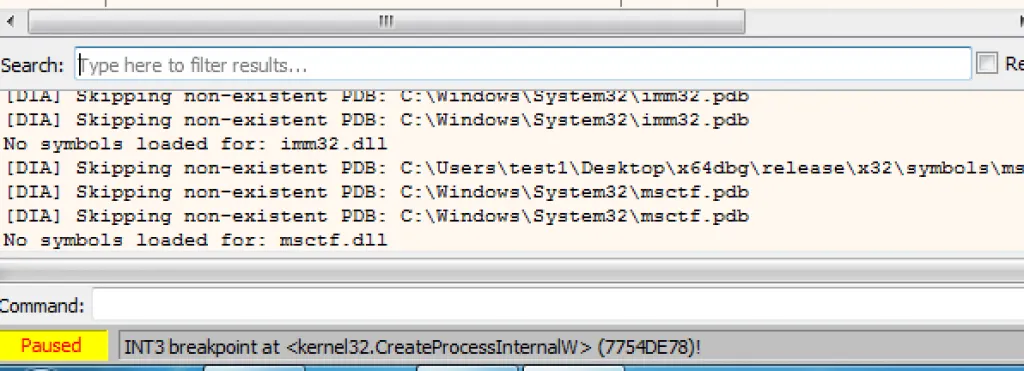
After the run operations, we need to reach the breakpoint we put in Create Process Internals W. When we get here, so we understand that somewhere in memory there is an unpacked version of this PE file. So then we are going to pop over to our memory map and start looking at protected sections.
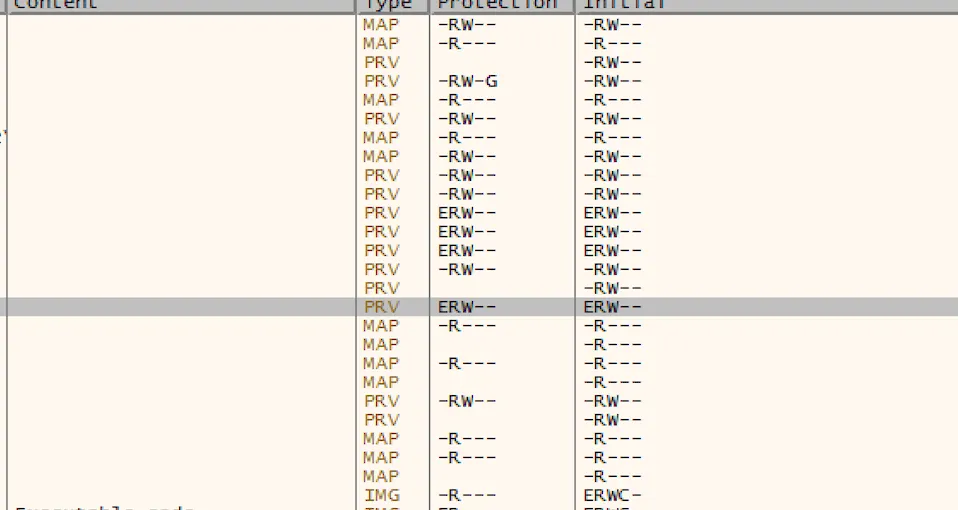
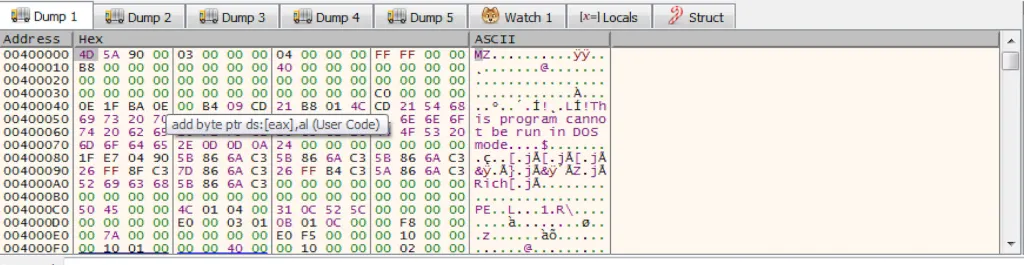
When we look at the Memory Map section above, we can see 4 memory zones set with ERW (Execute-Read-Write) flags. 3/4 are PE files, based on the header. We can proceed with the second phase of analysis.
Dynamic Analiz — Dumped binaries
I exported a dump of all files to check with IDA pro. I tried all the dump file step by step but there were some errors for 3 dump files. It worked only one of them without any error.
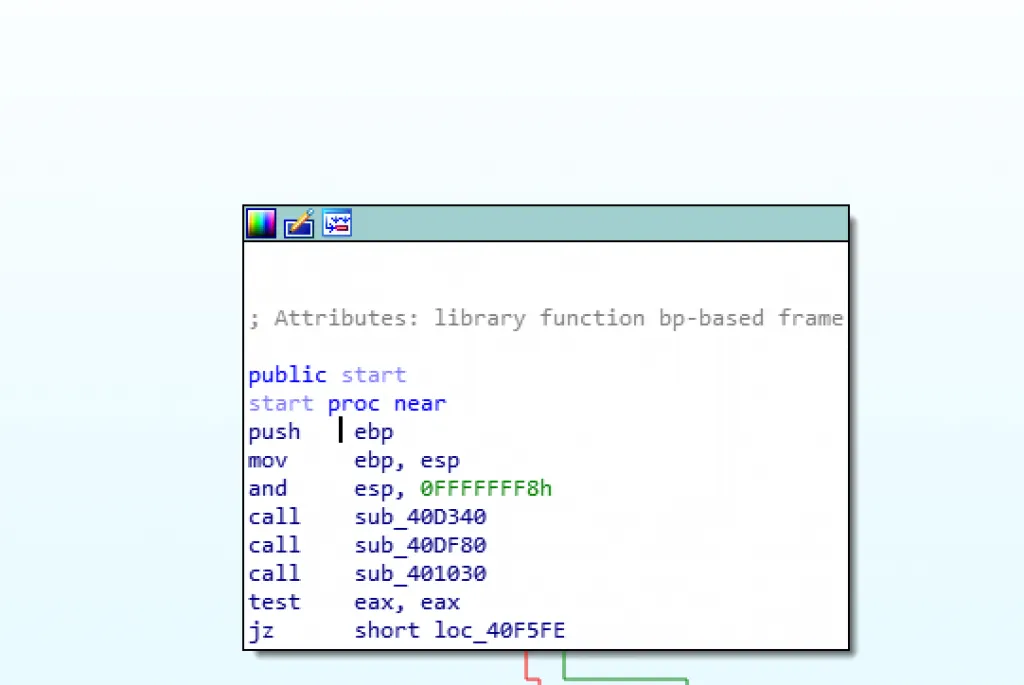
As the above IDA Pro output shows, the execution starts with 3 function calls. When looking at Sub_40D340 and Sub_40DF80, it contains the encrypted versions of the APIs to be loaded dynamically.
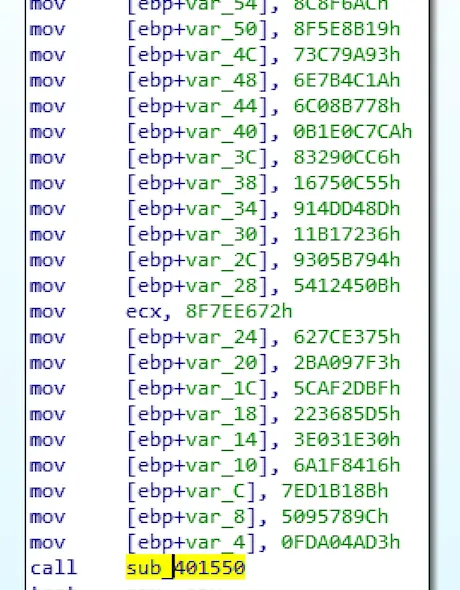
When looking at the details of these two functions; when the encrypted values are loaded into the stack, we notice that it calls another function called sub_401550. This function is probably responsible for the decryption function.
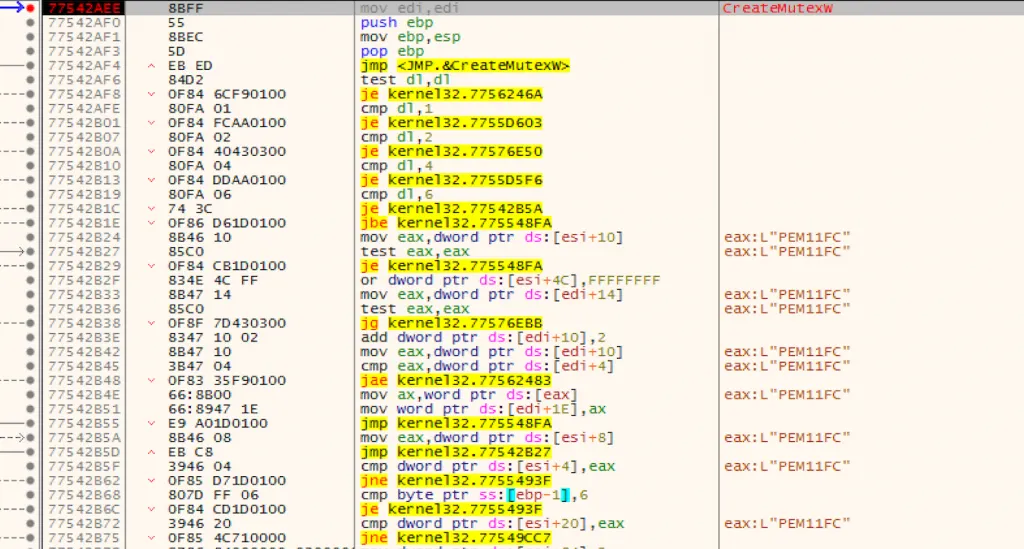
When we try this file again with the debugger, we can check whether it is MUTEXT or not. As you can see in the picture above, the name of MUTEX is PEM11FC.
Once MUTEX is created, the malware looks for Windows Directory to copy itself there. As well as it also looks at the %APPDATA% folder to copying. The new Binary here (under the %APPDATA%) is named under a different name and left here. The second file name in my analysis is called mapituip.exe.
Conclusion
I have not done any work with IP addresses, domains, and hosts. In this analysis, I performed the analysis of the exe file directly. So I want to state that I have not done anything about macro analysis. If there is any mistake or any wrong information, just let me know.
SHA1: cebb919d8d04f224b78181a4d3f0b10a315ae2f2